


Quick Summary
In the competitive landscape of gaming laptops, finding a machine that perfectly balances performance, durability, and affordability often feels like searching for a needle in a haystack. The ASUS TUF Gaming A15 (2024) shatters this difficulty, emerging as a formidable contender that refuses to compromise on quality despite its budget-friendly price point. Engineered with the modern gamer in mind, this laptop pairs the efficiency of the AMD Ryzen 5 7535HS processor with the graphical prowess of the NVIDIA GeForce RTX 3050. The result is a machine that not only handles the latest AAA titles at 1080p but also serves as a robust workstation for students and creators who demand reliability. With its signature military-grade toughness and a sleek Graphite Black aesthetic, the A15 declares that you do not need to spend thousands of dollars to experience premium gaming.
Beyond raw specs, the TUF Gaming A15 excels in user experience, offering a lightning-fast 144Hz display that ensures buttery-smooth visuals and a cooling system designed to maintain peak performance during marathon gaming sessions. ASUS has integrated next-generation technologies, including DDR5 memory and PCIe Gen 4 storage, ensuring this machine is future-proofed against the rising demands of software. Whether you are battling in a battle royale, editing 4K video, or simply multitasking through a heavy workload, the A15 stands ready. This review dives deep into every aspect of this budget warrior, demonstrating why it might just be the smartest purchase you make this year.
Table of Contents
- Design and Durability: Built for the Battlefield
- Display Quality: Fluidity Meets Clarity
- Processor Performance: The Ryzen Advantage
- Graphics and Gaming: RTX Power Unleashed
- Memory and Storage: Next-Generation Speed
- Thermal Management: Cooling Under Fire
- Keyboard and Input: Precision at Your Fingertips
- Connectivity and Audio: The Complete Package
- Portability and Battery Life: Power on the Go
- Software Experience: Total Control
- Final Verdict: The Undisputed Value Champion
- Frequently Asked Questions (FAQ)
Design and Durability: Built for the Battlefield
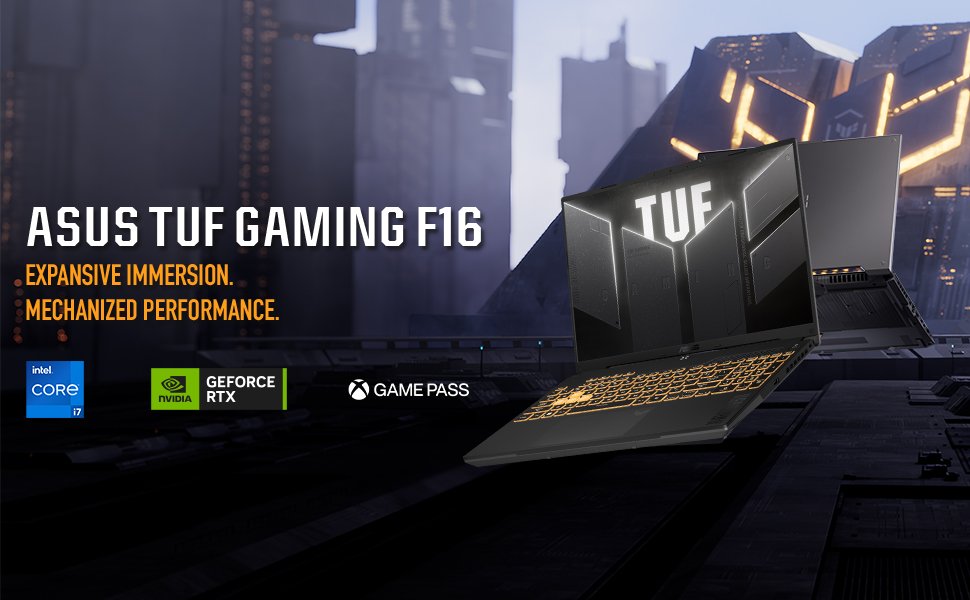
When you first unbox the ASUS TUF Gaming A15, the immediate impression is one of rugged confidence. ASUS has long marketed the “The Ultimate Force” (TUF) line as the durable alternative to the more fragile ultrabooks on the market, and this iteration is no exception. Clad in a striking “Graphite Black” finish, the chassis exudes a stealthy, industrial aesthetic that looks at home in a dorm room, a LAN party, or a coffee shop. The lid features a subtle, embossed TUF logo that adds a touch of premium branding without screaming “gamer” too loudly. It strikes a fantastic balance between aggressive styling and professional restraint, allowing it to appeal to a wide demographic of users in the United States.
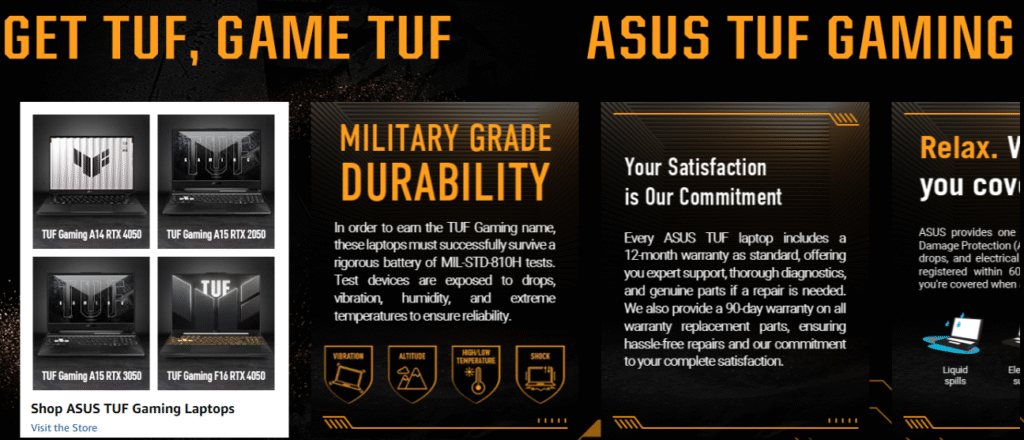
However, the true value of the A15’s design lies beneath the surface. This laptop has passed rigorous MIL-STD-810H tests, a certification usually reserved for equipment used by the military. This means the device has survived tests for drops, vibration, humidity, and extreme temperatures. For a student constantly shoving their laptop into a backpack, or a traveler moving through different climates, this durability provides immense peace of mind. You can feel the rigidity in the chassis; there is minimal flex in the keyboard deck, and the hinge feels sturdy, holding the screen firmly in place without wobbling during intense typing or gaming sessions.
Furthermore, the physical footprint of the laptop has been optimized. While it retains the 15.6-inch form factor, the bezels surrounding the screen have been thinned down significantly using ASUS’s NanoEdge design. This modernization not only makes the content pop but also reduces the overall size of the chassis, making it more portable than its predecessors. The texture of the palm rest is brushed to resist fingerprints, ensuring the laptop maintains a clean look even after hours of use. In a market where budget laptops often feel plasticky and cheap, the TUF A15 stands out by offering a build quality that feels dense, substantial, and ready for abuse.
Display Quality: Fluidity Meets Clarity
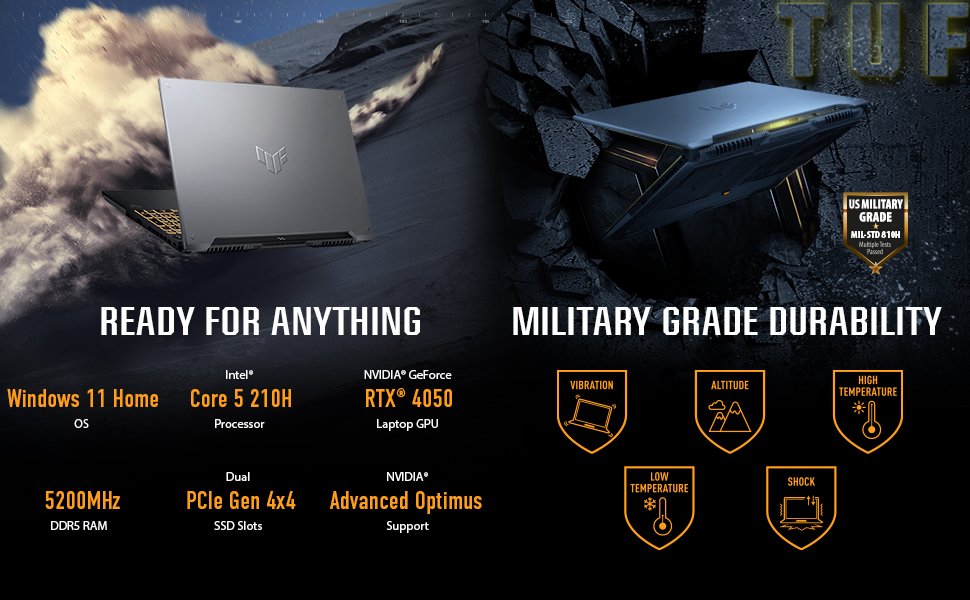
The visual interface of any laptop is critical, and the ASUS TUF Gaming A15 delivers a panel that prioritizes what gamers need most: speed. The centerpiece is a 15.6-inch Full HD (1920 x 1080) IPS-level display that boasts a 144Hz refresh rate. If you are upgrading from a standard 60Hz screen, the difference will be immediately palpable. Mouse movements look smoother, scrolling through web pages feels liquid, and, most importantly, fast-paced games become significantly more responsive. In titles like Call of Duty or Overwatch, that high refresh rate allows you to see enemies sooner and track targets with greater precision, giving you a tangible competitive edge.
To further enhance the visual experience, ASUS has incorporated Adaptive-Sync technology. This feature synchronizes the display’s refresh rate with the GPU’s frame rate output. Consequently, this eliminates visual tearing—a phenomenon where the screen shows parts of two different frames at once—and minimizes stuttering. The result is an incredibly immersive experience where the game world feels consistent and unbroken. Whether you are racing through city streets or exploring fantasy dungeons, the fluidity of the motion preserves the suspension of disbelief essential for modern gaming.
While this panel focuses on speed, it does not neglect basic image quality. The IPS-level technology ensures that viewing angles are wide, allowing you to share your screen with a friend or watch a movie from an awkward angle without colors washing out. The anti-glare coating is a thoughtful addition for those who play in brightly lit rooms or near windows, effectively diffusing reflections that would otherwise be distracting. While it may not rival the color accuracy of a creator-focused OLED panel, it offers vibrant and punchy colors that make games look fantastic. For the price point, getting a 144Hz Adaptive-Sync panel is a massive win for the consumer.
Processor Performance: The Ryzen Advantage
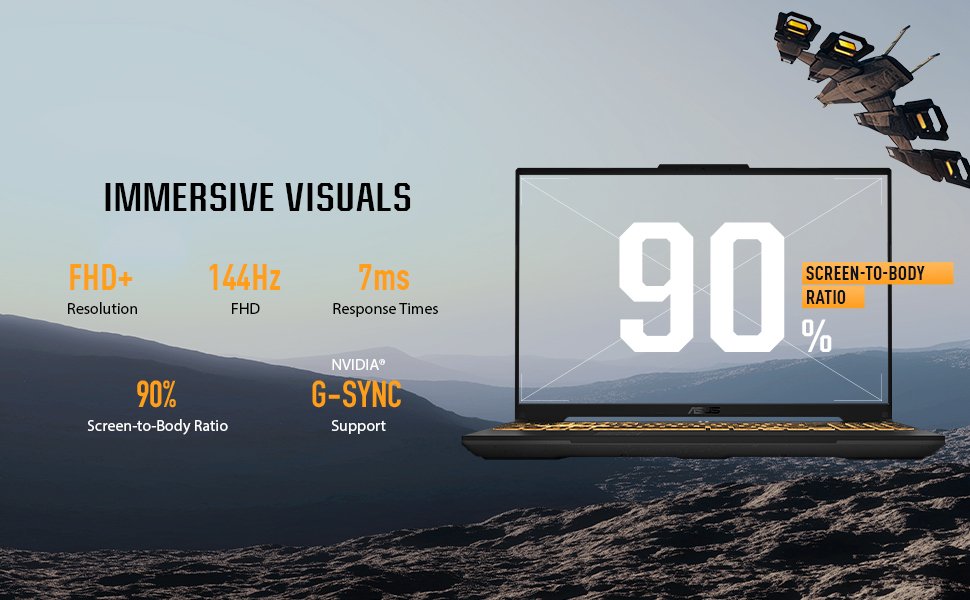
At the heart of this machine beats the AMD Ryzen 5 7535HS Mobile Processor. This chip represents a sweet spot in performance and efficiency, utilizing AMD’s refined “Zen 3+” architecture. With 6 cores and 12 threads, and a boost clock capable of reaching up to 4.55 GHz, this processor is a multitasking beast. It is designed to handle heavy workloads with ease, ensuring that the laptop feels snappy and responsive regardless of what you throw at it.
For gamers, the Ryzen 5 7535HS ensures that the CPU is never the bottleneck. Modern games are becoming increasingly physics-heavy and dependent on processor power, and this chip rises to the challenge. It feeds data to the GPU efficiently, maintaining high minimum frame rates which are crucial for a smooth gaming experience. Furthermore, the “HS” designation in the processor name indicates that this chip is optimized for a balance of high performance and power efficiency. This means you get desktop-class performance without the scorching heat and massive power draw associated with older gaming laptops.
Beyond gaming, the Ryzen 5 shines in productivity tasks. If you are a student or a professional, you will appreciate how effortlessly this laptop handles applications like Adobe Premiere Pro, Photoshop, or complex Excel spreadsheets. The 12 threads allow for seamless background processing; you can stream your gameplay, keep Discord open, and have dozens of Chrome tabs active without experiencing system lag. This versatility transforms the TUF A15 from a mere toy into a powerful tool for content creation and serious work, providing immense value to users who need one device to do it all.
Graphics and Gaming: RTX Power Unleashed
Visuals are powered by the NVIDIA GeForce RTX 3050 Laptop GPU, equipped with 4GB of GDDR6 VRAM. While some might label this an entry-level card, in the context of the TUF A15, it is a powerhouse of value. The RTX 30-series architecture brings with it the revolutionary benefits of Ray Tracing and AI-driven technologies. Even at this price point, you get access to dedicated RT Cores and Tensor Cores, allowing you to experience realistic lighting, shadows, and reflections in supported games.
However, the true magic of the RTX 3050 lies in NVIDIA DLSS (Deep Learning Super Sampling). This AI-rendering technology is a game-changer. By rendering the game at a lower resolution and then using AI to upscale it to 1080p, DLSS provides a massive boost to frame rates without a noticeable drop in image quality. This means that titles that might otherwise struggle on budget hardware run beautifully on the A15. You can crank up the settings in visually demanding games like Cyberpunk 2077 or Control and still enjoy playable frame rates, thanks to the wizardry of DLSS.
Additionally, the laptop features NVIDIA’s Dynamic Boost technology. This system automatically manages power distribution between the CPU and GPU on a frame-by-frame basis. If a game is graphically intense, the system shifts more power to the GPU; if it is physics-heavy, it shifts power to the CPU. This intelligent optimization ensures you are always getting the maximum possible performance out of your hardware. For the vast majority of popular games—such as Fortnite, Apex Legends, Minecraft, and League of Legends—the RTX 3050 crushes it, delivering frame rates that fully utilize the 144Hz display.
Memory and Storage: Next-Generation Speed
ASUS has future-proofed the TUF Gaming A15 by equipping it with the latest standards in memory and storage. The machine comes with 8GB of DDR5-5600MHz RAM. The shift from DDR4 to DDR5 is significant; it offers much higher bandwidth, which translates to faster data access for the CPU. In gaming, this can lead to better frame rates and faster level loading. In general usage, it makes the operating system feel snappier. Moreover, the TUF A15 is known for being user-upgradeable. If you ever feel that 8GB is limiting, popping open the chassis to add more RAM is a straightforward process, allowing the laptop to grow with your needs.
On the storage front, the laptop includes a 512GB PCIe Gen 4 NVMe M.2 SSD. The jump to PCIe Generation 4 is massive. These drives offer read and write speeds that are exponentially faster than traditional SATA SSDs and noticeably quicker than Gen 3 drives. Windows 11 boots up in mere seconds, games launch almost instantly, and large file transfers happen in the blink of an eye. This reduction in waiting time fundamentally changes how you interact with your computer; everything feels instant.
Storage capacity is always a concern for gamers, as modern titles can be huge. 512GB provides a solid starting point, enough for the OS, essential apps, and a decent library of games. However, ASUS once again champions user-friendliness by including an additional M.2 SSD slot. This expansion slot is a critical feature, allowing you to easily drop in a second terabyte (or more) of storage down the line without needing to reinstall your operating system. This level of expandability is rare in the budget segment and adds tremendous long-term value to the purchase.
Thermal Management: Cooling Under Fire
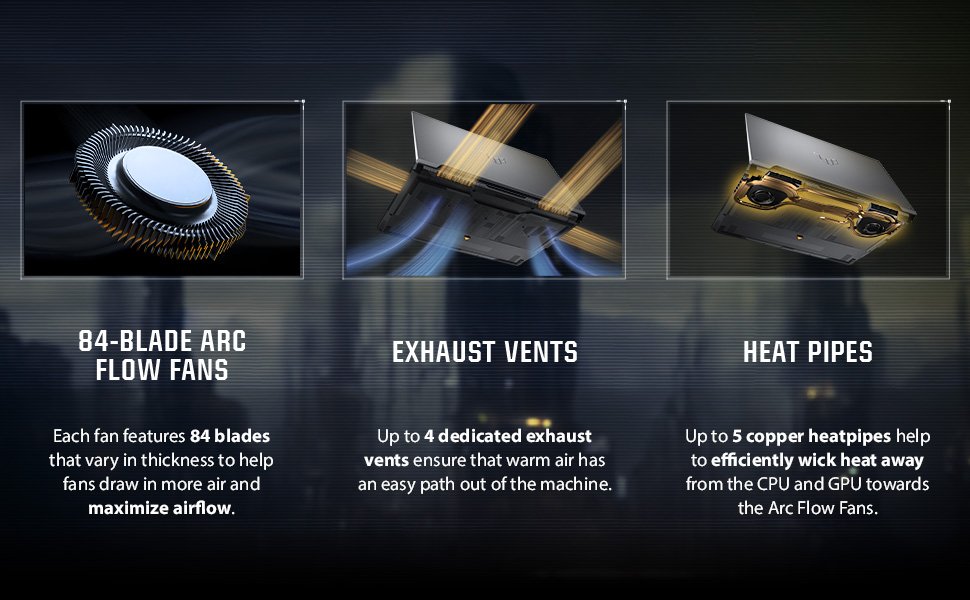
High-performance components generate heat, and managing that heat is the key to sustained performance. ASUS has equipped the TUF A15 with a sophisticated cooling solution tailored to handle the Ryzen 5 and RTX 3050. The system utilizes Arc Flow Fans, which feature an 84-blade design. Each blade varies in thickness from base to tip to maximize airflow while minimizing turbulence and noise. This aerodynamic design ensures that a high volume of cool air is drawn into the chassis, washing over the heat sinks and expelling heat efficiently.
Complementing the fans is a network of multiple heat pipes and exhaust vents. The laptop strategically exhausts hot air out the back and sides, keeping the area where your hands rest—the keyboard deck—cool to the touch. This is a subtle but vital ergonomic detail; there is nothing worse than trying to game on a keyboard that feels like a radiator. The A15 ensures your WASD keys remain comfortable even during the heat of battle.
Furthermore, ASUS has implemented a Self-Cleaning Cooling 2.0 system. Dust is the enemy of electronics; over time, it clogs fans and heatsinks, reducing performance. The A15 features dedicated anti-dust tunnels that catch incoming particles and channel them out of the chassis before they can settle on critical components. This innovative design significantly extends the lifespan of the laptop and ensures that the cooling efficiency remains high years after purchase. You can also manually toggle between different cooling modes (Silent, Performance, Turbo) via the software, giving you control over the balance between fan noise and cooling power.

Keyboard and Input: Precision at Your Fingertips
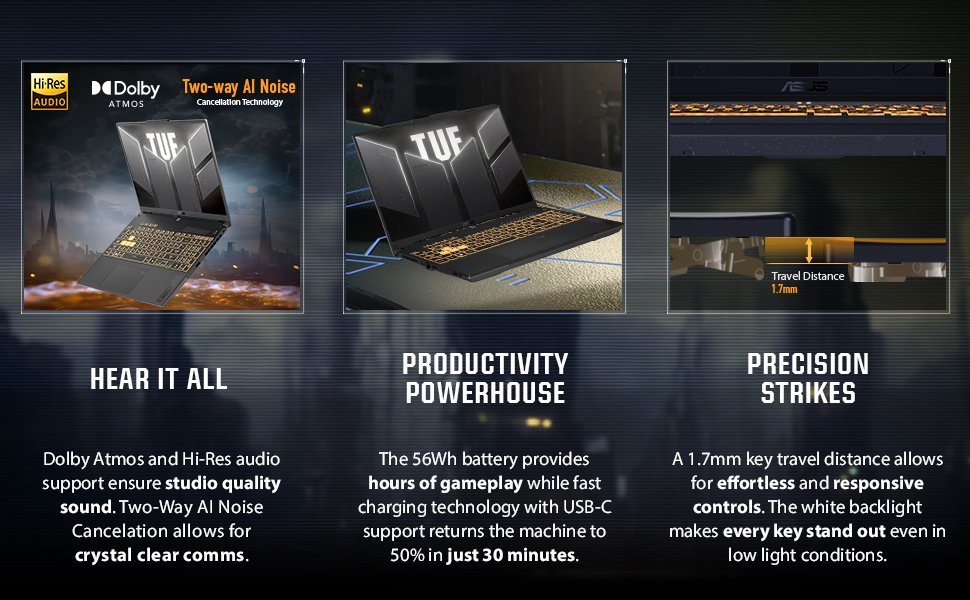
The keyboard on the TUF Gaming A15 is optimized for gaming, drawing inspiration from desktop mechanical keyboards. It features ASUS Overstroke technology, which registers keypresses earlier in the stroke. This means faster actuation for your commands—a split-second advantage that can determine the winner in a fast-paced firefight. The keys have a satisfying tactile feel with 1.7mm of travel distance, providing excellent feedback for both typing and gaming.
Aesthetically, the keyboard is a stunner. It features 1-Zone RGB backlighting, allowing you to customize the color and effects to match your style. Whether you prefer a static color, a breathing effect, or a color cycle, the backlighting makes the keys easy to see in dark environments and adds that essential gamer flair. The WASD keys are highlighted with a transparent design, acting as a visual anchor for your fingers.
ASUS has also included a full numeric keypad on the right side. For students and professionals who work with data entry or use the numpad for macros in games, this is a welcome addition that many 15-inch laptops omit. The touchpad is 26% larger than previous generations, providing ample space for gesture controls and navigation. While most gamers will use a mouse, the high-quality trackpad ensures that using the laptop on the go is a frustration-free experience.
Connectivity and Audio: The Complete Package
In an era where ports are disappearing from laptops, the TUF A15 bucks the trend by offering robust connectivity options. The left side of the machine is the main hub, featuring an HDMI 2.1 port that supports high-resolution external displays. Crucially, it includes a USB Type-C port that supports DisplayPort Alt Mode, giving you flexibility in how you connect to monitors. You also get a USB 3.2 Gen 1 Type-A port, a dedicated RJ45 LAN port for stable, lag-free wired internet, and a 3.5mm combo audio jack. An additional USB Type-A port sits on the right side for your mouse. This comprehensive selection means you can connect all your peripherals—headset, mouse, keyboard, and external monitor—without needing to carry around a bag full of dongles.
On the wireless front, the laptop is equipped with Wi-Fi 6 (802.11ax). This standard provides faster speeds, greater efficiency, and better performance in crowded networks compared to Wi-Fi 5. Whether you are gaming in a dorm with hundreds of other devices or streaming 4K content at a coffee shop, Wi-Fi 6 ensures a stable and fast connection. Bluetooth 5.3 is also on board, offering energy-efficient connectivity for wireless headphones and controllers.
Audio is delivered through two speakers powered by Dolby Atmos technology. This provides a high-fidelity soundstage with preset modes for music, movies, and gaming. While laptop speakers have physical limitations, the Dolby processing does an excellent job of creating a virtual surround sound experience, helping you pinpoint enemy footsteps. Moreover, the laptop features Two-Way AI Noise Cancelation. This technology runs on the CPU to filter out background noise from both your microphone and incoming audio. If you are on a Discord call with a friend who has a noisy vacuum cleaner in the background, the AI will filter that out, ensuring clear communication for your squad.
Portability and Battery Life: Power on the Go
The ASUS TUF Gaming A15 manages to pack all this performance into a chassis that remains surprisingly portable. Weighing in at approximately 2.3 kg (5.07 lbs), it is light enough to carry in a backpack across campus or through an airport without breaking your back. The “Jaeger Gray” design is sleek enough to slide into a professional environment, yet durable enough to survive the commute.
Battery life is often the Achilles’ heel of gaming laptops, but the A15 puts up a respectable fight. It houses a 48Wh battery, which, combined with the energy-efficient Ryzen processor, offers decent endurance for general productivity tasks. While you shouldn’t expect to game for hours unplugged, the laptop can easily handle several hours of web browsing, video streaming, or word processing on a single charge.
Additionally, the laptop supports fast charging technology, capable of recharging the battery to 50% in just 30 minutes. This is a game-changer for mobile users. A quick top-up during a lunch break or a layover provides enough juice to keep you going for hours. The portability factor is further enhanced by the robust build; you don’t feel the need to baby this laptop, making it a true road warrior’s companion.
Software Experience: Total Control
ASUS unifies the control of the system through the Armoury Crate software. This is not just bloatware; it is a powerful command center that puts you in the driver’s seat. From a single interface, you can monitor system temperatures, CPU and GPU usage, and memory status in real-time.
Armoury Crate allows you to customize the RGB lighting on the keyboard via Aura Sync, enabling you to coordinate lighting effects across compatible ASUS peripherals. More importantly, it lets you switch between different performance profiles. “Silent” mode aggressively throttles power to keep fans quiet for library use; “Performance” mode strikes a balance for gaming; and “Turbo” mode unleashes the full power of the silicon, ramping up fan speeds to maintain maximum clock rates.
The software also offers “GameVisual” profiles, which tune the display color settings for different genres like FPS, RPG, or Racing. This level of granular control ensures that the hardware adapts to your needs, rather than you adapting to the hardware.
Final Verdict: The Undisputed Value Champion
The ASUS TUF Gaming A15 (2024) is a triumph of engineering and value proposition. It successfully navigates the treacherous waters of budget gaming laptops by prioritizing the features that actually matter to gamers: a high-refresh-rate screen, a durable chassis, an efficient and powerful CPU, and a GPU capable of modern rendering techniques like DLSS.
This laptop does not try to be an ultra-thin flagship that costs three times as much. Instead, it embraces its identity as a reliable workhorse. It offers a level of performance that will delight 1080p gamers, supports the workflow of students and creators, and boasts a durability that ensures your investment is protected for years. The upgradability of the RAM and storage further sweetens the deal, ensuring this machine can evolve alongside your needs.
If you are looking for a device that delivers premium features—144Hz, Adaptive Sync, Wi-Fi 6, PCIe Gen 4—without the premium price tag, the ASUS TUF Gaming A15 is, without a doubt, the best choice in its class. It is tough, it is fast, and it is ready for anything.
Rating: 9.5/10 – Highly Recommended
Frequently Asked Questions (FAQ)
Q: Can I upgrade the RAM and Storage on the ASUS TUF Gaming A15? A: Yes, absolutely. The ASUS TUF Gaming A15 is designed to be user-upgradeable. It features two SO-DIMM slots for DDR5 memory and two M.2 slots for PCIe NVMe SSDs. This allows you to easily expand the RAM up to 32GB (or more, depending on kit compatibility) and add terabytes of extra storage space whenever you need it.
Q: Is the RTX 3050 good enough for modern games? A: Yes, the RTX 3050 is a very capable GPU for 1080p gaming. It handles popular eSports titles like Valorant, CS:GO, and League of Legends at very high frame rates. For demanding AAA titles, it utilizes NVIDIA DLSS technology to boost performance, allowing you to play games like Cyberpunk 2077 or Call of Duty with smooth frame rates at medium-to-high settings.
Q: Does this laptop get hot/loud while gaming? A: The TUF A15 manages heat very well thanks to its Arc Flow Fans and multiple heat pipes. While all gaming laptops generate fan noise under heavy load, the “Performance” mode strikes a good balance. The “Self-Cleaning Cooling 2.0” design also helps maintain airflow efficiency over time. For non-gaming tasks, the “Silent” mode makes the laptop virtually inaudible.
Q: Can I use this laptop for school or professional work? A: Definitely. The sleek “Graphite Black” design is understated enough for a classroom or office. The Ryzen 5 processor is excellent for multitasking, and the keyboard includes a full number pad, which is great for data entry and productivity. The military-grade durability also makes it safe to carry in a backpack daily.
Q: Does the screen support variable refresh rates? A: Yes, the display features Adaptive-Sync technology. This synchronizes the refresh rate of the 144Hz screen with the GPU’s frame rate, eliminating screen tearing and reducing stuttering for a much smoother gaming experience.
Q: Does it have a webcam? A: Yes, it includes a built-in 720p HD camera located at the top of the bezel, which works perfectly for Zoom calls, Skype, or remote learning. It also features AI Noise Cancelation for the microphone to ensure your voice is clear.